Linksys WRT54GL v. 1.1 MMC/SD/SDHC Cardreader + TTL to RS232 + KNX Interface
Hi,
I'm Austrian but I'll write this article in english as I think there might be more audience that can profit from it....
Ok I'll start with my intentions! As I wanted to test the basic functionality and handling of the "Freebus controller 4.43 interface" before I go into a more complex project (combing multiple acturators / sensors into one as small as possible PCB - to integrate my kitchen extractor into KNX) I thought I'll start with an Interface for the Linksys WRT54GL v1.1 Router.
I already had the device at home, it was not in use anymore but still working properly. Additionally the Router had a SD Card interface (using some GPIO ports and an SD card holder I stripped from a €5 Cardreader) so this would give plenty of space for additional software.
I ended up in spending more and more time to perfectly integrate the PCB into the Linksys's housing, well I think the result is quite good but see for yourself later on. The most time-consuming part was getting all the right dimensions so that mounting wholes, connectors, etc. allign with the Linksys's housing. I milled two non working samples of the PCB just to test all dimensions, connectors and make sure the board will fit.
Here come's the result (Sorry for the miserable image quality):
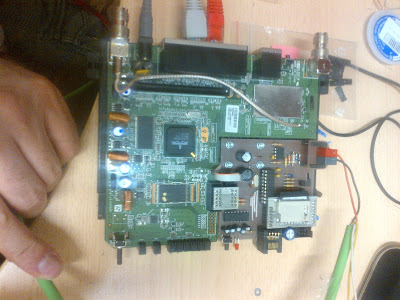
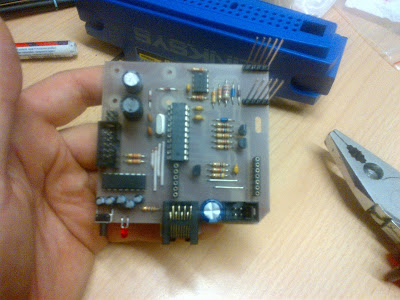
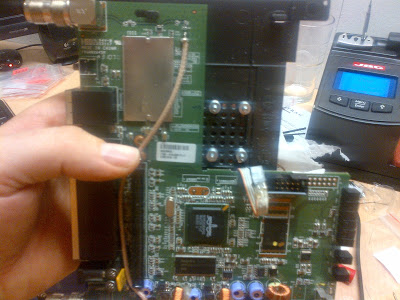
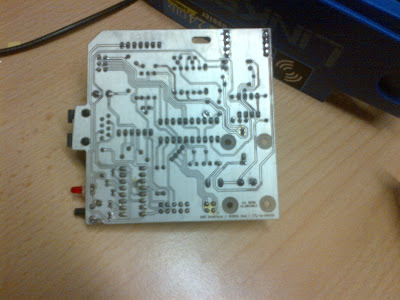
The gallery can be found at
https://picasaweb.google.com/rdobroun/WRT54GLV11KNXInterface?authuser=0&feat=directlinkI currently do not have more pictures available and I don't have the router @ home but I'll provide some more pictures of the housing itself later.
This was the hardware part, now comes the software (OpenWRT) which was allmost as tricky.
There was some 8.xx version of OpenWRT installed including an extroot configuration of the SD card so I could make sure the card is working using the new PCB. However this software was not supported by the freebus installer script as the software was to old and using a 2.4 kernel. Not a problem I thought and upgraded to backfire/10.03.1/brcm47xx stable release. Then the real problems started, the "mmc-over-gpio" driver did not work and I wasn't able to mount the MMC card anymore at init stage, not even at OS runtime. After some research I found a modified SDHC card driver for kernel 2.6
https://github.com/CapnBry/HeaterMeter/blob/master/openwrt/package/broadcom-sdhc26/README.v2.0.2. There was no binary version available so I had to setup a crosscompiler environment for OpenWRT.
This driver compiled fine and allowed to initialize the GPIO ports properly, but then mounting the ext3 partition failed with some strange error message "EXT3-fs: invalid journal inode." However the filesystem couldn't be the problem as an e2fsck showed no errors and the same FS mounted fine on the old OS.
I then gave up on Kernel 2.6 and reverted to backfire/10.03.1/brcm-2.4 stable binary release from
http://downloads.openwrt.org/.
If you think problems solved, everything fine..... still far away from the end of the tunnel.
At least the SDHC driver from the opkg repository was working again and the card mounted fine.
Now next task was to get extroot working again, this is the only way to conveniently install software via opkg without the need to make sure it gets installed in the right directory including all libraries and what not, only this ... another story on its own.
Basically none of the tutorials I found on the Internet using the precompiled image from OpenWRT worked for me. Either the driver did't get loaded at init stage, or the GPIO pins got initialized wrong way round (although I'm 100% sure I configured it properly everywhere I could find the setting GPIO2 became clock line instead to DI), the best page I found in terms of Pictures was this one
http://beta.ivc.no/wiki/index.php/Adding_SD_card_to_WRT54GL, the sofware referenced there unfortunately is very old.
I then found this
https://forum.openwrt.org/viewtopic.php?id=26956 tutorial which finally led to success.
Especialy the method to include the configuration files with the correct setting already predefined into the ROM image was the key to get extroot working. The negative aspect of this is that you need to have a working crosscompiler environment, but this is mandatory anyway for the eibd later on as well so fair enough.
One more problem I ran into was that my newly compiled image did not have lucy included and I was too lazy to recompile as it takes ages everytime even on a core 2 duo. When I first started the new image I allready had a newly ext3 formated sd card in the reader and it got immediately mounted as overlay root filesystem at boottime, but the opkg repository then was missing obviousely. The quick and dirty way to solve this for me was booting without the SD card for the first time, so the internal flash gets mounted as overlay jffs2 filesystem.
When the boot process is finished insert the SD card and run
Code:
/etc/init.d/sdcard start
This mounts the card as /sdcard.
Then issue
Code:
opkg update
opkg install luci
This will install luci properly on the internal flash. After that you can copy the whole content of the JFFS2 overlay partition to the SD card:
Code:
tar -C /overlay -cvf - . | tar -C /sdcard -xf -
Then just reboot and the router will successfully mount the sdcard as root from then on.
That much for now.. time to get some sleep, I'll update this post tomorrow with the missing eibd/linknx/uhttp part as well as the remaining software binaries.
The eagle files are already attached!!
best regards
Rupert

 Anmelden
 FAQ
FAQ Suche
Suche